
PwnPilot: a local pentest workspace

PwnPilot
A local cockpit connecting commands, evidence, and reports
GitHub · Walkthrough · Architecture
At a glance : PwnPilot brings a terminal, command library, history, Markdown notes, graph, and report into a project workspace. AI features are optional. Development is currently paused due to a lack of time.
Contents
- Why this project
- From project to report
- Keeping track of the session
- Reusable commands
- A graph that connects the evidence
- Markdown notes alongside the work
- A report that takes shape gradually
- Optional AI assistance
- How the application is built
- Project status
Why this project
A pentest or CTF session produces much more than commands. There are targets, hypotheses, terminal output, notes, lab credentials, and pieces of the eventual report. When they are spread across several windows and files, recovering the reasoning becomes a task of its own.
PwnPilot starts from that difficulty: keeping the work and its context in the same workspace. A command should be traceable to its output, a note, and a step in the path. The report can then take shape during the session instead of relying on memory once the terminal is closed.
The application does not replace security tools. It brings together the material needed to understand what they produced.
From project to report
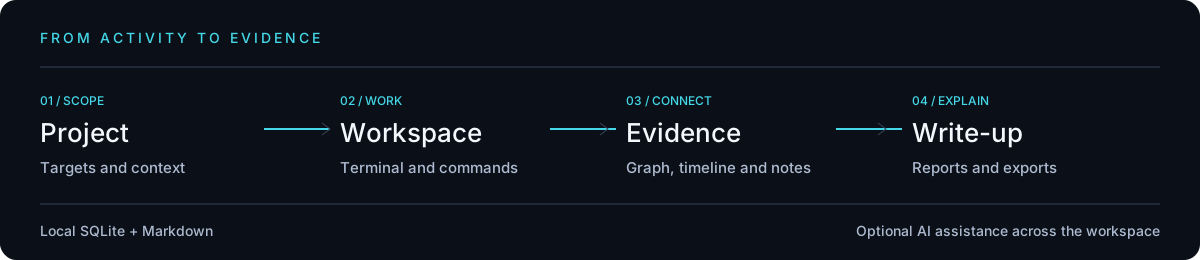
The workflow has four steps:
- Create a project and define its context, targets, and variables.
- Work in the terminal or prepare a command from the library.
- Keep the evidence in history, notes, and the graph.
- Build the report by reviewing proposed updates.
Keeping track of the session
History brings commands and timeline entries together. You can revisit output, find a step, or add a note in the same place. The project supplies context that a plain shell history often lacks.
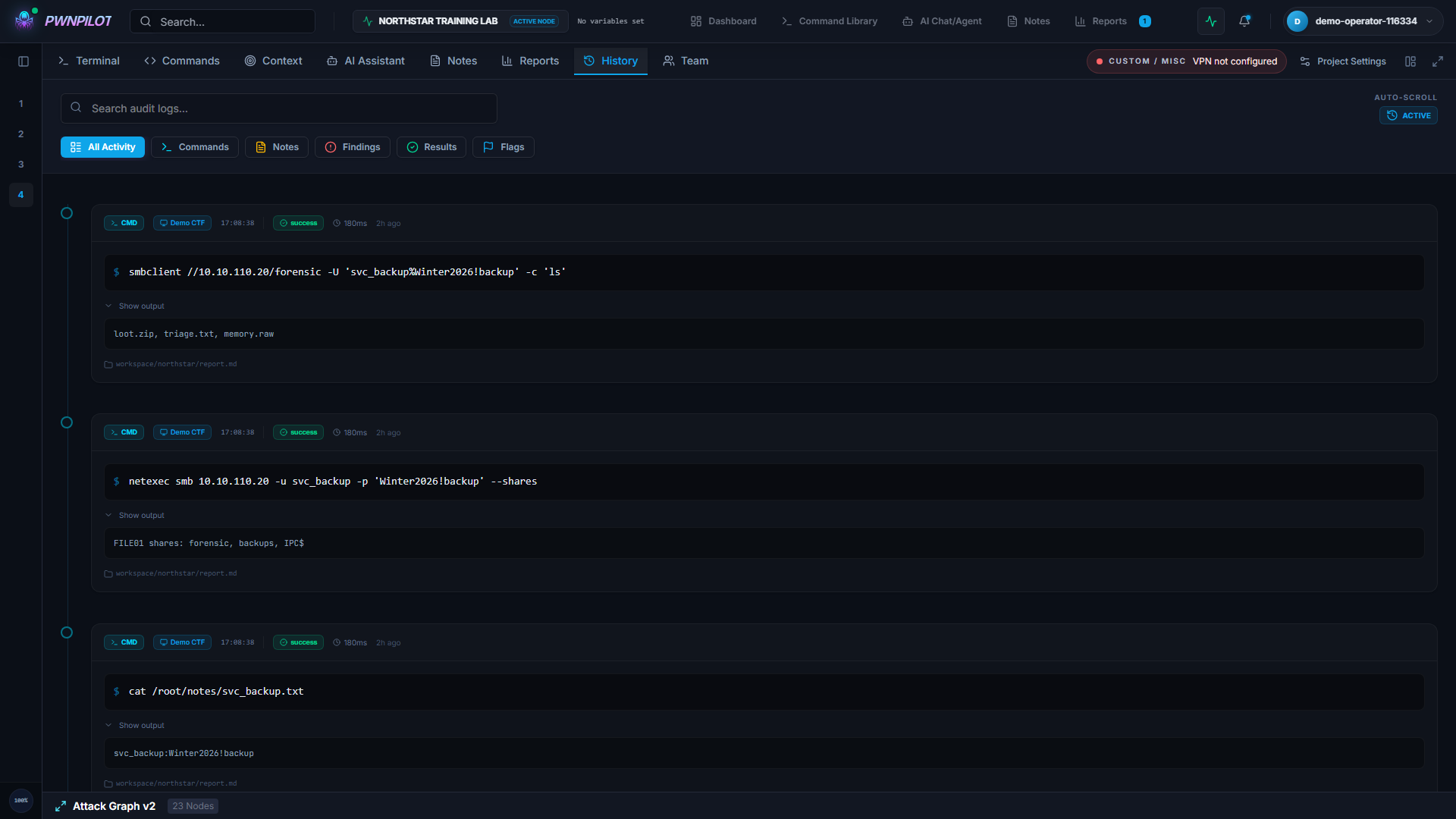
The embedded terminal uses the shell and tools available on the host machine. PwnPilot does not bundle a Kali distribution or automatically install every program shown in examples. Session behavior also depends on the operating system and terminal provider.
Reusable commands
The library groups commands into categories so you can find them without starting from scratch. Project variables adapt templates to the current context: a target or path can change without rewriting every command.
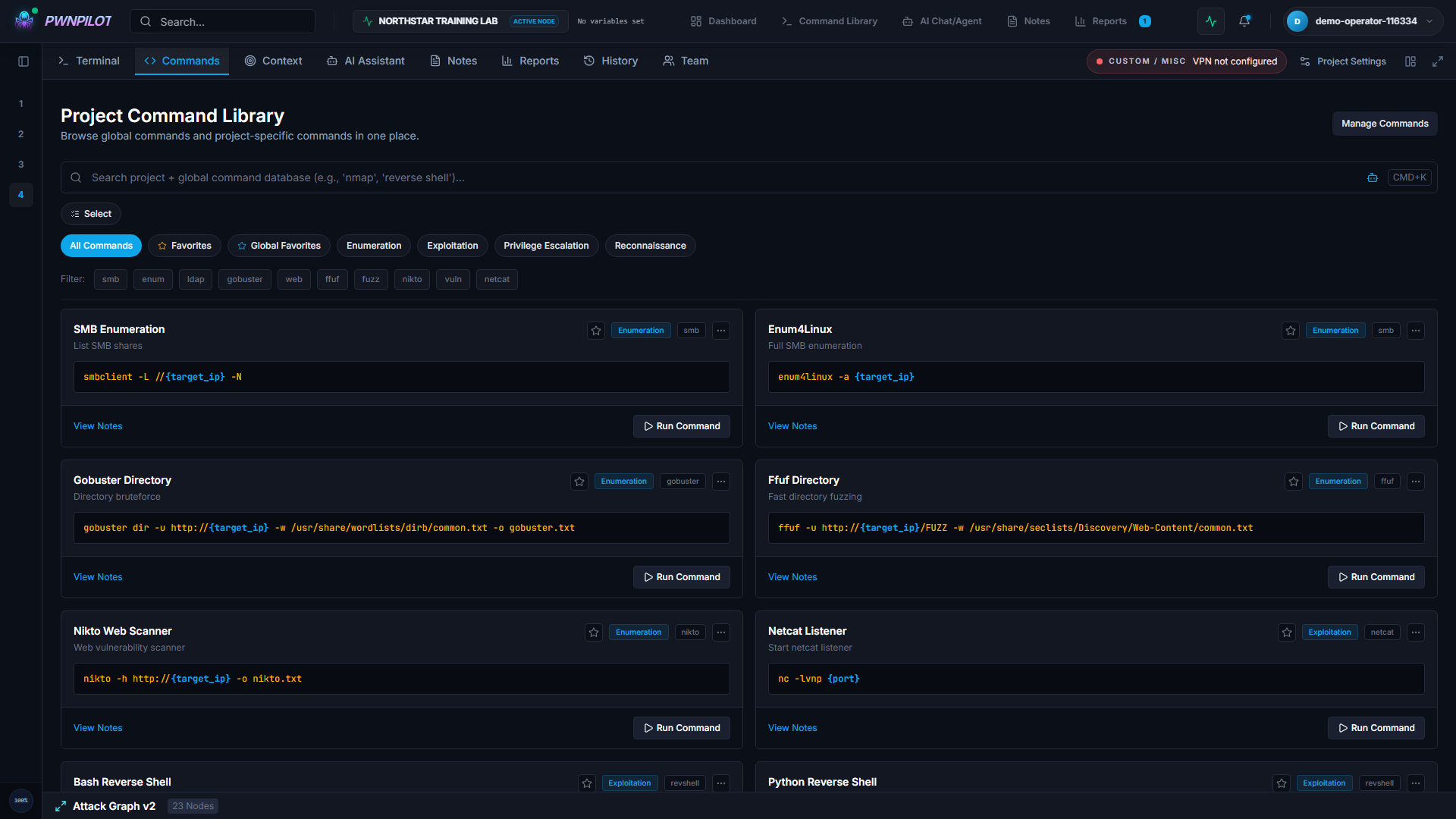
This remains a preparation tool. A command needs to be understood, adapted to the authorized scope, and checked before execution. Its presence in the library validates neither its parameters nor its suitability for the situation.
A graph that connects the evidence
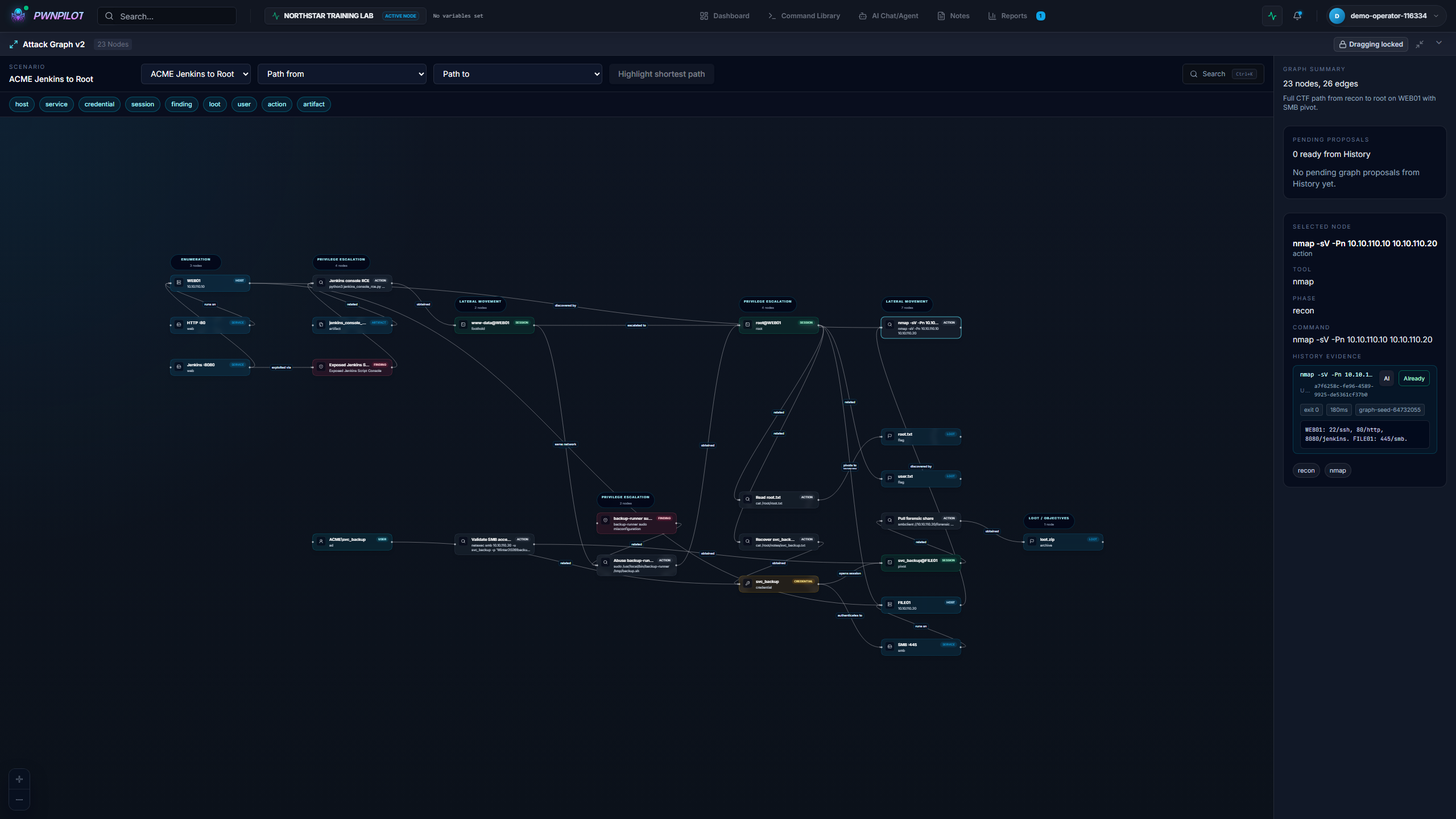
A graph can represent hosts, services, actions, sessions, findings, and artifacts. It lets you follow a path and return to the material supporting it instead of retaining only a linear description.
Markdown notes alongside the work
The knowledge base uses local Markdown sources. A document tree, search, and tags help you find a technique or note. Documents can also be linked to session material.
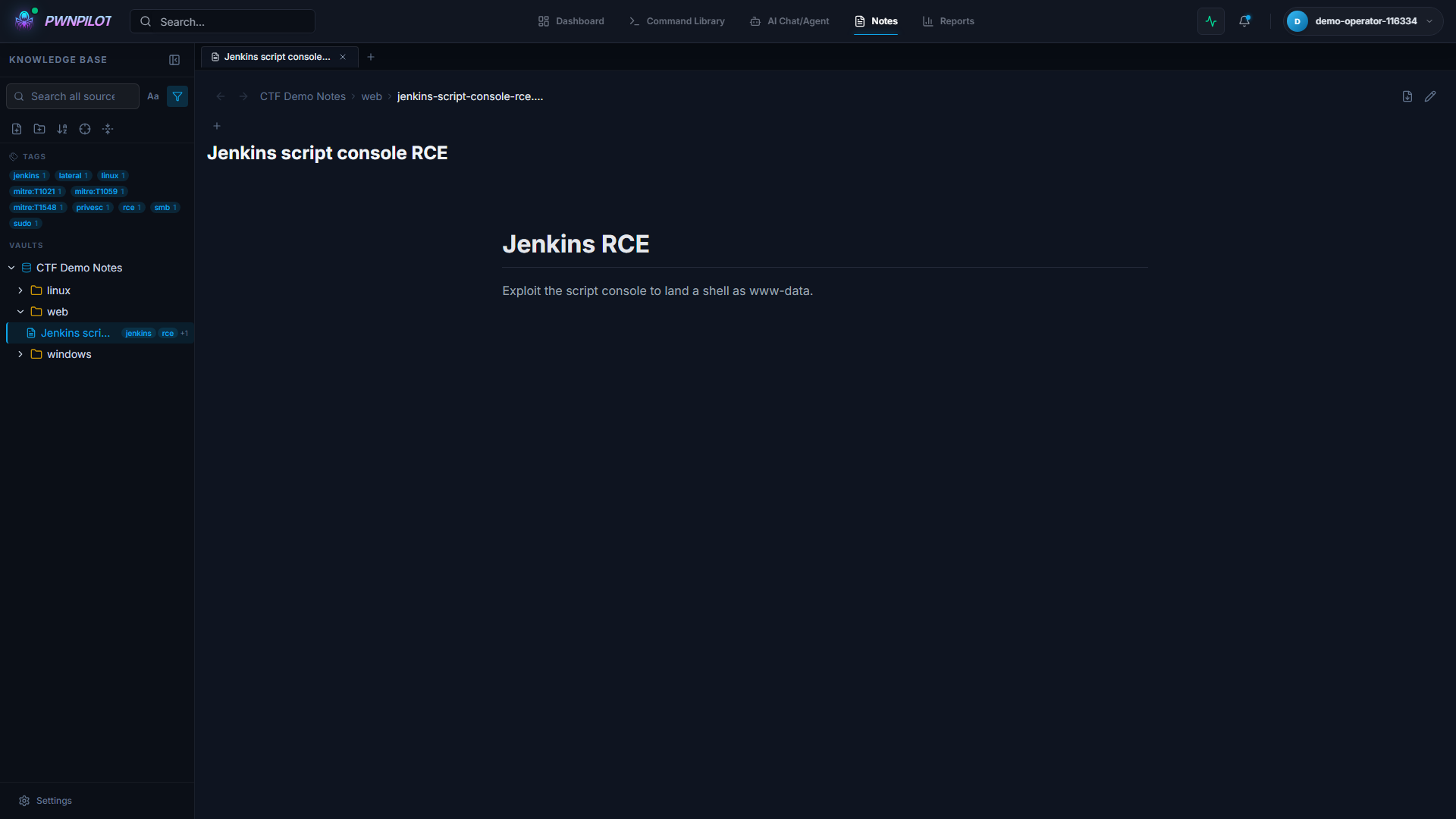
The point is to keep notes in a format that remains useful elsewhere. An existing vault can be used as a source; reading and editing modes depend on that source's permissions. The screenshots show only the synthetic lab's notes.
A report that takes shape gradually
The report brings steps and evidence together in a Markdown preview. Updates can be proposed for a section, with a preview and diff to review. The export workflow lets you retrieve the result and its artifacts.
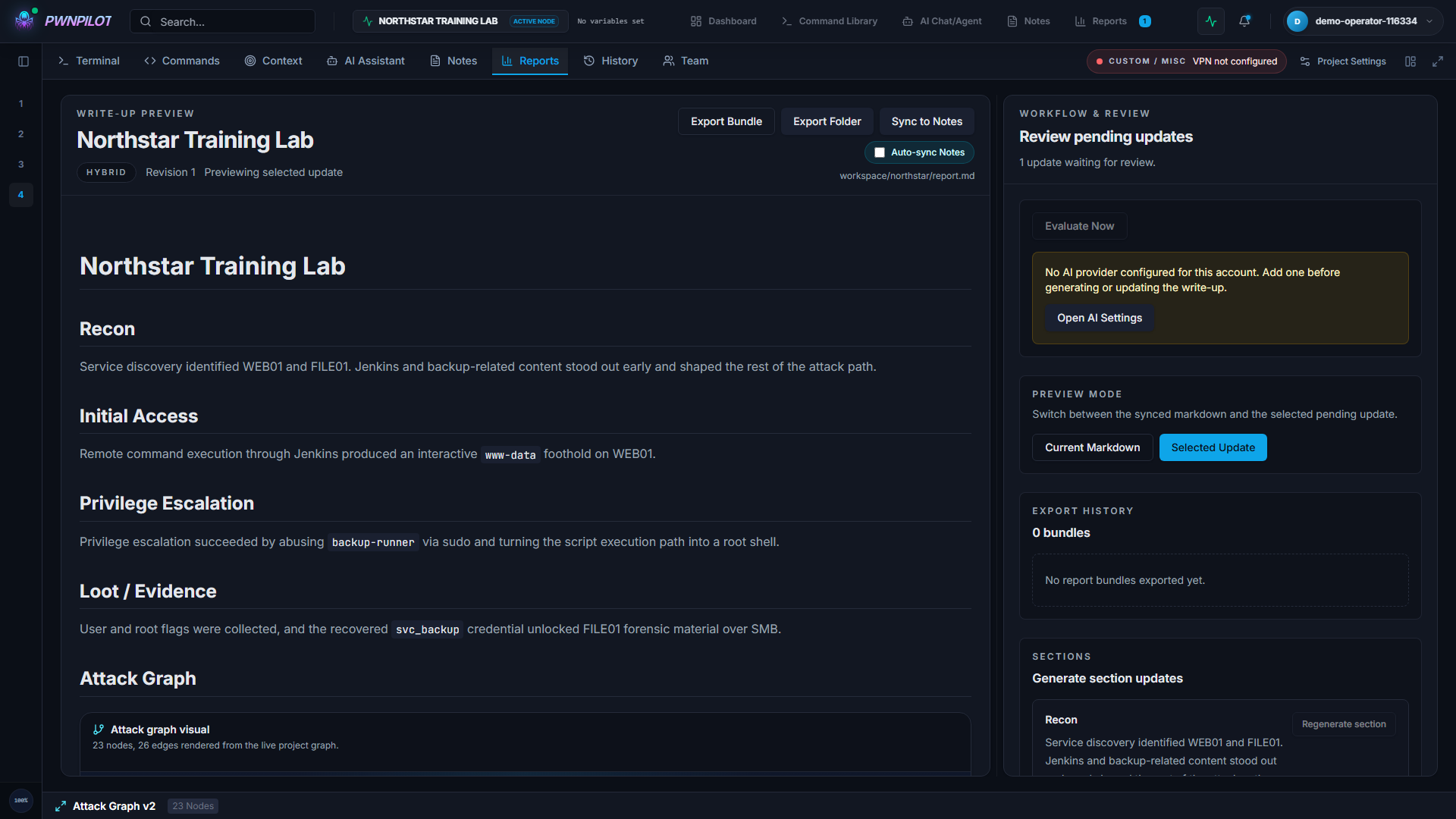
This approach brings writing closer to collection. It does not remove the need for review: conclusions, chronology, and recommendations must be validated by the person conducting the assessment. In the demonstration, report content and proposals come from the preloaded scenario.
Optional AI assistance
PwnPilot can use model providers through APIs, local models, and CLI integrations. The assistant has entry points into project context and a prompt library. The application currently includes 48 prompts, covering system instructions and reusable templates.
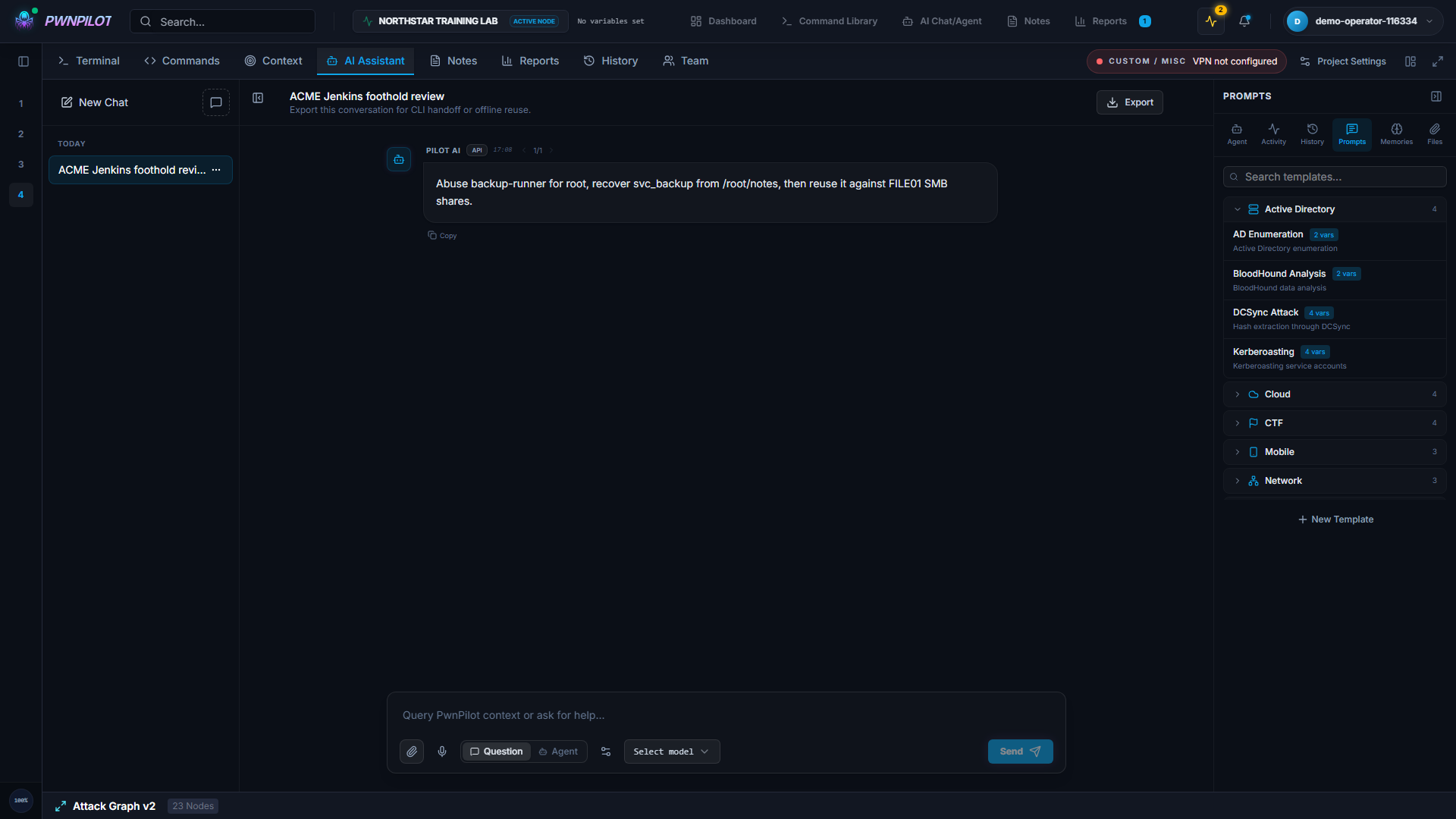
These features are optional. History, notes, and project organization do not require a model-provider subscription. A remote provider does receive the context sent to it, however: local-first does not mean every integration works offline.
The conversation shown in the captures is a preloaded example. No external model response was requested to produce these media. Suggestions need to be checked against the evidence and engagement rules.
How the application is built
| Layer | Choice | Role |
|---|---|---|
| Interface | React, TypeScript, Vite | Project, terminal, notes, graph, and report views |
| Backend | FastAPI, Python | API, authorization, and application services |
| Data | SQLite, SQLAlchemy, Alembic | Structured storage and migrations |
| Files | Local workspaces, Markdown | Notes, reports, and artifacts |
| Real time | WebSocket, SSE | Terminal and streaming exchanges |
| Extensions | AI providers, CLI, MCP | Configurable integrations |
The backend is a modular monolith. Routes handle exchanges with the interface; services coordinate features; models and migrations manage persistence. This fits an application that starts on one machine and keeps its data locally.
Collaboration features add accounts, invitations, and project permissions. They do not turn a local launch into a hosted service ready for Internet exposure.
Project status
Development is paused due to a lack of time. PwnPilot remains a work in progress: some integrations depend on the environment, workflows still need improvement, and bugs may remain.
You are welcome to fork, experiment, and contribute.